

Waiting for KSJEA results? This guide shows you how to check Kenya Schools and Junior Education Assessment (KSJEA) results online as soon as they’re released.

What is KSJEA?
KSJEA (Kenya Schools and Junior Education Assessment) is a formative assessment for Grade 6 learners under the Competency-Based Curriculum (CBC). It tracks student progress and learning outcomes.
Purpose:
- Assess Grade 6 competencies
- Track learning progress
- Identify learning gaps
- Provide feedback to learners and parents
- Guide teaching and learning
Example: KSJEA helps teachers know which areas students need more support in before proceeding to Grade 7.
When Are KSJEA Results Released?
Timeline:
- Exams conducted: Usually mid-year (around June/July)
- Marking period: 2-3 weeks
- Results release: Usually August/September
Example: If exams ended July 15th, expect results around early August.
Note: KSJEA is NOT a placement exam like KCPE. It’s a formative assessment to track progress.
What You Need
Before checking results:
- Learner’s assessment number
- School name or code
- Date of birth (some portals require this)
- Internet connection
- 5 minutes
Example: Assessment number looks like: 45678/123/2026

Method 1: Check via KNEC Website
Step 1: Visit KNEC Portal
Open your browser and go to: www.knec.ac.ke
Or use direct results portal: results.knec.ac.ke
Example: Works on phone, tablet, or computer. Use Chrome or Firefox.
Step 2: Navigate to Results Section
On KNEC homepage:
- Look for “Check Results” or “CBC Results”
- Click on it
- Or find “KSJEA Results” link
Example: Results link is usually prominent when results are released.
Step 3: Select KSJEA Results
From results options, select:
- KSJEA or
- Grade 6 Assessment Results or
- Kenya Schools and Junior Education Assessment
Example: Click the correct year (e.g., “KSJEA 2026”)
Step 4: Enter Learner Details
Fill in the form:
Required Information:
- Assessment Number
- Year of examination
- Verification code (CAPTCHA)
Example:
- Assessment Number: 45678/123/2026
- Year: 2026
- CAPTCHA: ABC123 (type exactly as shown)
Step 5: Submit and View Results
Click Submit or Search Results
Your KSJEA results will display.
Example: Results show scores for each learning area assessed.

Step 6: Download or Print
Options to:
- Download results as PDF
- Print results
- Save screenshot
Example: Click “Download PDF” to save: “KSJEA_Results_2026_StudentName.pdf”
Method 2: Check via School
Many schools receive results directly:
Step 1: Contact Your School
Call or visit the primary school where learner took assessment.
Example: “Hello, I’m calling about John Kamau’s KSJEA results. Are they available?”
Step 2: Request Results
Ask class teacher or head teacher for:
- Individual learner results
- School feedback report
- Progress analysis
Example: “Can I collect my child’s KSJEA result slip today?”
Step 3: Collect Results Document
School will provide:
- Printed result slip
- Learning areas scores
- Teacher recommendations
- Progress report
Example: Result slip shows scores in Mathematics, Languages, Sciences, etc.
Step 4: Discuss with Teacher
Take opportunity to:
- Understand results
- Ask about strengths and weaknesses
- Get improvement recommendations
- Plan support strategies
Example: “My child scored well in Languages but needs support in Mathematics. What can we do at home?”
Method 3: Via County Education Portal
Some counties provide online access:
Step 1: Visit County Education Website
Check if your county has education portal.
Example: nairobi.education.go.ke or similar
Step 2: Find CBC/Assessment Section
Navigate to:
- CBC Results
- Assessment Results
- Grade 6 Results
Step 3: Enter Details
Provide:
- School name or code
- Learner assessment number
- Other required details
Step 4: View Results
County portal displays results with local context.
Example: Shows learner’s performance compared to county average.
Understanding KSJEA Results
What Results Show:
Learning Areas Assessed:
-
Mathematics
- Numeracy skills
- Problem-solving
- Mathematical concepts
-
Languages
- English
- Kiswahili
- Reading and writing
-
Integrated Science
- Basic science concepts
- Environmental studies
-
Social Studies
- Community and society
- Geography basics
- Civic education
-
Religious Education
- Values and ethics
-
Creative Arts
- Art and music appreciation
-
Physical Education
- Health and sports
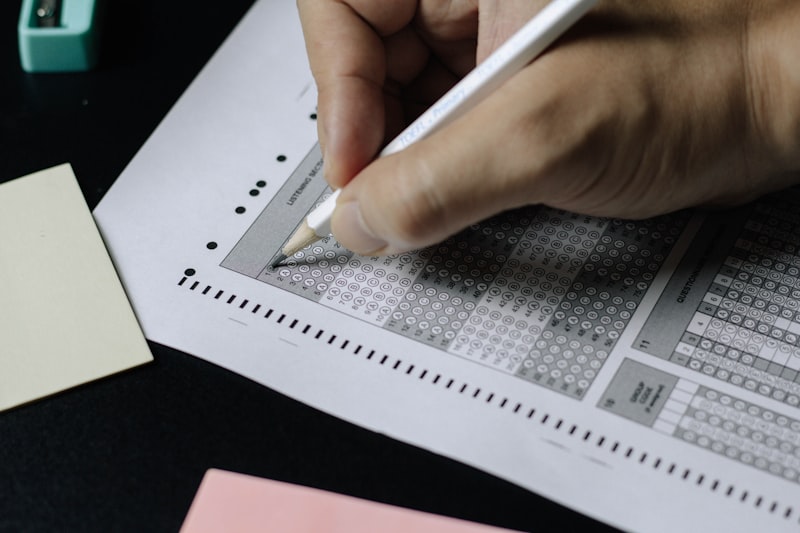
Example: Results show proficiency level in each area: Exceeds Expectations, Meets Expectations, Approaches Expectations, Below Expectations.
Proficiency Levels Explained
CBC uses competency levels:
Exceeds Expectations (EE)
- ⭐⭐⭐⭐ Excellent performance
- Strong understanding of concepts
- Applies knowledge effectively
- Above grade level
Example: Learner can solve complex math problems independently.
Meets Expectations (ME)
- ⭐⭐⭐ Good performance
- Understands grade level concepts
- Performs tasks adequately
- On track
Example: Learner completes assignments correctly with minimal help.
Approaches Expectations (AE)
- ⭐⭐ Fair performance
- Developing understanding
- Needs some support
- Almost there
Example: Learner understands concepts but needs practice to master them.
Below Expectations (BE)
- ⭐ Needs improvement
- Significant learning gaps
- Requires intervention
- Extra support needed
Example: Learner struggles with basic concepts, needs one-on-one support.
Using Results for Learning Support
Based on Results:
For Exceeds Expectations:
- Provide enrichment activities
- Challenge with advanced content
- Encourage mentoring others
- Maintain engagement
Example: Give advanced reading books, math puzzles, science projects.
For Meets Expectations:
- Continue current support
- Reinforce concepts
- Encourage consistent practice
- Build confidence
Example: Regular homework routine, praise progress, set achievable goals.
For Approaches Expectations:
- Provide additional practice
- Use different teaching methods
- Give more attention
- Regular monitoring
Example: Extra tutoring twice a week, use visual aids, hands-on activities.
For Below Expectations:
- Immediate intervention needed
- One-on-one support
- Identify specific gaps
- Seek professional help if needed
Example: Meet with teacher weekly, consider tutoring, educational assessment.
Common Problems and Solutions
Problem: Website not loading Solution: Try different browser. Clear cache. Try during off-peak hours (early morning/late night).
Problem: Assessment number not found Solution: Verify number from exam card or school. Contact school to confirm correct number.
Problem: Results show “Not Available” Solution: Results may not be released yet. Check KNEC website for release date. Contact school.
Problem: Disagree with results Solution: Discuss with class teacher first. Request remarking if necessary (through official channels).
Problem: Forgot assessment number Solution: Contact school. They have records of all learners’ assessment numbers.
Problem: Results different from expected Solution: Remember KSJEA assesses competencies, not just knowledge. Review with teacher for clarification.
Important Differences: KSJEA vs KCPE
Don’t Confuse:
KSJEA:
- Grade 6 learners
- Formative assessment
- Track progress
- Not for placement
- Part of CBC
- Multiple times per year possible
KCPE:
- Grade 9 learners (or former Standard 8)
- Summative exam
- For secondary school placement
- Once per year
- Still in transition
- Determines school placement
Example: KSJEA results help improve learning. KCPE results determine which secondary school you go to.
What Parents Should Do After Results
Action Steps:
Step 1: Review Results Together
- Sit with your child
- Go through results area by area
- Celebrate strengths
- Identify areas needing support
Example: “You did excellently in Languages! Let’s work together on Mathematics.”
Step 2: Meet with Teacher
- Schedule parent-teacher meeting
- Discuss results in detail
- Get specific recommendations
- Understand next steps
Example: “What specific math concepts does my child struggle with?”
Step 3: Create Support Plan
- Set realistic goals
- Allocate time for practice
- Identify resources needed
- Schedule regular reviews
Example: “30 minutes daily math practice, tutor twice a week, review progress monthly.”
Step 4: Provide Resources
- Buy relevant books
- Use online learning platforms
- Consider tutoring if needed
- Create conducive learning environment
Example: Subscribe to educational apps, buy workbooks, set up study corner.
Step 5: Monitor Progress
- Regular check-ins
- Track improvements
- Adjust support as needed
- Maintain communication with school
Example: Weekly review of homework, monthly teacher consultation.
Online Resources for Improvement
Learning Platforms:
For Mathematics:
- Khan Academy Kids
- Mathletics
- Local math workbooks
For Languages:
- Reading apps
- Storytelling platforms
- Writing practice
For Sciences:
- Educational videos
- Science experiment kits
- Nature exploration
Example: Use Khan Academy for free math lessons matching Kenyan curriculum.
What Schools Do with KSJEA Results
School-Level Actions:
-
Identify Learning Gaps
- Which concepts need reteaching
- Which students need support
- Overall class performance
-
Adjust Teaching Strategies
- Change methods for difficult topics
- Provide remedial teaching
- Differentiate instruction
-
Group Learners
- Support groups by ability
- Peer tutoring opportunities
- Enrichment groups
-
Plan Interventions
- Extra classes
- Holiday tuition
- Resource allocation
Example: If 70% of class struggles with fractions, teacher dedicates extra weeks to fraction concepts.
KSJEA in the CBC Framework
Understanding CBC Assessment:
Continuous Assessment:
- KSJEA is one component
- Classwork and homework count
- Projects and presentations
- Practical skills
- All contribute to overall assessment
Competency-Based:
- Focus on what learner can do
- Not just what they know
- Application of knowledge
- Life skills development
Formative Nature:
- Helps improve learning
- Not final judgment
- Guides teaching
- Supports development
Example: Unlike old system’s end-of-year exam determining everything, CBC assesses throughout the year.

Contact Information
KNEC Headquarters:
- Phone: 0709 477 000 / 020 310 0000
- Email: info@knec.ac.ke
- Website: www.knec.ac.ke
Working Hours:
- Monday-Friday: 8:00 AM - 5:00 PM
- Closed weekends and holidays
For Inquiries:
- Results queries: exams@knec.ac.ke
- CBC assessment: cbc@knec.ac.ke
County Education Offices:
- Contact your County Director of Education
- Visit during working hours
Kenya Institute of Curriculum Development (KICD):
- Phone: 020 3749900
- Email: info@kicd.ac.ke
- For curriculum questions
Important Reminders
- KSJEA is formative - helps improve learning, not for placement
- Results should guide support strategies
- Focus on improvement, not just scores
- Every learner progresses differently
- Consistent support at home makes big difference
- Communicate with teachers regularly
- Celebrate effort and progress
- Don’t compare with other children
- Use results constructively
- Support is available - ask for help when needed
Future Assessments
CBC Assessment Calendar:
Grade 6:
- KSJEA (mid-year assessment)
- Continuous assessment throughout year
- End-of-year assessment
Grade 7-9:
- Continuous formative assessments
- Progress tracking
- Skills development monitoring
Grade 9:
- Kenya Primary School Education Assessment (KPSEA)
- For junior secondary completion
- May influence senior secondary placement
Example: KSJEA in Grade 6 is just one step. Focus on continuous improvement throughout CBC journey.
Summary
Quick Steps to Check KSJEA Results:
- Visit www.knec.ac.ke
- Click KSJEA Results
- Enter assessment number
- View and download results
- Meet with teacher
- Create support plan
- Implement improvements
- Monitor progress
Remember: KSJEA results are a tool for improvement, not a final judgment. Use them constructively to support your child’s learning journey through the CBC system!